
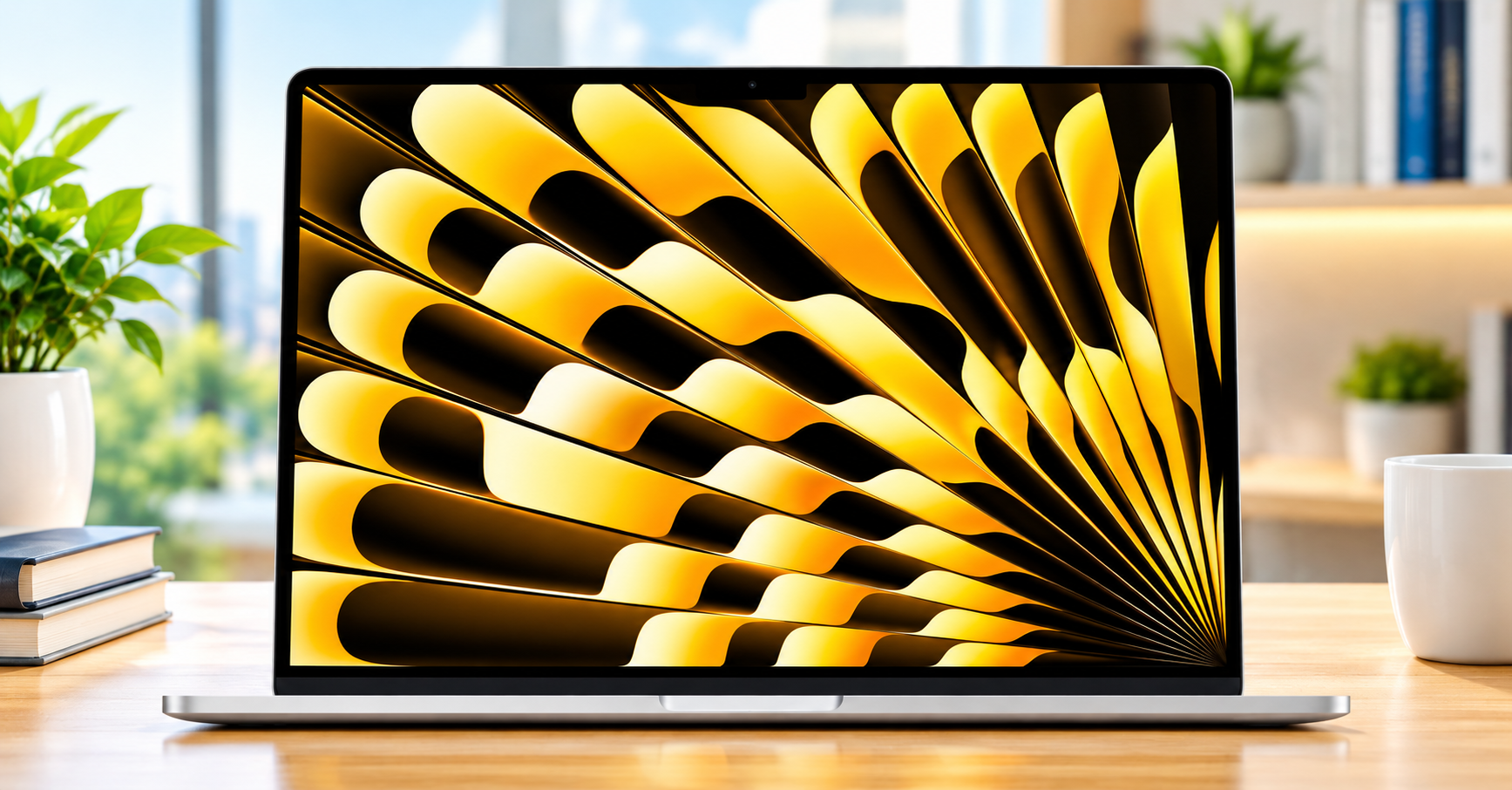
Introduction of Apple M5 Chip Laptop
Apple M5 Chip Laptop. Finding the right portable computer can feel overwhelming today. Many shoppers want a device that handles work, school, and media without lag. Because of that demand, the Apple M5 chip Laptop enters the market as a prominent option for everyday users. Specifically, this version is the Apple 2026 MacBook Air 15-inch model. It features a bright screen, modern wireless standards, and plenty of built-in memory.
At the same time, choosing a new computer requires careful thought. You want a machine that fits comfortably into a small workspace or a busy family kitchen. In addition, you need hardware that will stay fast for years. However, high-end electronics represent a major investment. Therefore, understanding the practical strengths and realistic limitations of this model helps you spend wisely.
Quick Verdict of Apple M5 Chip Laptop
The 15-inch Apple MacBook Air with the M5 processor is a dependable choice for remote workers, college students, and family households. First, the 15.3-inch Liquid Retina display offers generous screen area for split-screen tasks without feeling bulky. Next, the combination of 16GB unified memory and a 512GB solid-state drive ensures smooth multitasking during daily duties. On the other hand, it lacks active cooling fans and extra legacy connection ports. Consequently, heavy video editors or intense gamers may prefer a dedicated workstation laptop instead.
Key Specifications of Apple M5 Chip Laptop
Before making an investment, reviewing core hardware components is essential. Apple configured this specific 15-inch model with several practical upgrades for modern software demands.
| Feature Category | Hardware Specification | Practical Benefit |
| Processor | Apple M5 Silicon (Integrated AI Engine) | Smooth responsiveness across daily productivity tasks |
| Unified Memory | 16GB Integrated RAM | Stable multitasking with dozens of browser tabs open |
| Internal Storage | 512GB Fast Solid-State Drive (SSD) | Room for essential documents, photo backups, and apps |
| Display Panel | 15.3-inch Liquid Retina Screen | Crisp text and wide workspace for dual-window work |
| Webcam | 12MP Center Stage Camera | Keeps you cantered during remote meetings and calls |
| Networking | Wi-Fi 7 Connectivity | Faster speeds and reliable signal on modern routers |
| Security | Touch ID Biometric Sensor | Quick, secure account logins and password autofill |
| Color Finish | Starlight Aluminum Casing | Neutral, stylish appearance that hides minor dust well |
Detailed Feature Analysis: What Makes It Useful?
1. Processing Power and Daily AI Tasks
The heart of this computer is the M5 processor. Because this chip integrates computing cores and on-device machine learning hardware, daily tasks feel snappy. For instance, launching heavy software takes only a few seconds. Meanwhile, background tasks such as photo sorting or transcription run quietly behind the scenes. Furthermore, this laptop operates without an internal cooling fan. As a result, the device remains completely silent while you draft emails, stream movies, or manage spreadsheets. Nevertheless, users who push the processor with long rendering jobs may notice gentle thermal throttling. Thus, it remains best suited for standard productivity rather than industrial computing.
2. Generous 15.3-Inch Liquid Retina Display
Screen space is vital when you do not have room for an external monitor. In fact, many people working in compact apartments struggle with cramped 13-inch displays. Therefore, the 15.3-inch Liquid Retina screen makes a noticeable difference. You can place a document on the left and a web browser on the right with plenty of room. In addition, the panel delivers vivid color reproduction and sharp contrast. Text appears crisp, which reduces eye strain during long typing sessions. Similarly, streaming television shows or family photos looks natural. However, the screen uses a standard 60Hz refresh rate rather than high-refresh display tech, which remains a minor trade-off for creative pros.
3. Balanced Memory and Storage Baseline
For years, base laptops offered minimal random-access memory. Happily, this configuration provides 16GB of unified memory out of the box. Because the memory is shared efficiently across graphics and processing units, it avoids common bottlenecks. Equally important, the 512GB solid-state drive gives you enough local space for standard software, personal photo libraries, and work projects. While power users may eventually require an external drive, this capacity fits ordinary family use.
Apartment Living, Small Desks, and Family Daily Life
When living in a compact home, every square inch of desk space matters. Fortunately, the 15-inch Air maintains a thin profile. It slides easily into a shallow drawer, a small backpack, or a kitchen charging station. Consequently, you can pack it away neatly when your workday ends.
Moreover, routine care is straightforward. The Starlight finish features an anodized aluminum exterior that naturally resists visible fingerprint smudges. When dust gathers, a soft, dry microfiber cloth easily restores the surface. Just be sure to avoid spraying liquid cleaners directly onto the screen coating.
In terms of durability, the solid aluminum unibody protects the internal electronics from standard bumps. Because it lacks moving fan parts, dust cannot accumulate inside an air vent. This design detail is especially convenient for homes with pets or shared living spaces.
Honest Pros and Cons
Every electronic product comes with design trade-offs. Weighing both sides clearly helps you make a confident buying choice.
Pros of Apple M5 Chip Laptop
- Spacious Display: The 15.3-inch screen provides ample room for side-by-side windows.
- Completely Silent: The fanless architecture produces zero mechanical noise.
- Capable Configuration: 16GB of memory handles daily multitasking without freezing.
- Modern Webcam: The 12MP Center Stage sensor delivers sharp video for remote calls.
- Future-Proof Networking: Wi-Fi 7 support ensures compatibility with high-speed internet routers.
- Slim Design: Despite the larger screen, the chassis remains lightweight and portable.
Cons of Apple M5 Chip Laptop
- Limited Connection Ports: You get two USB-C ports and MagSafe, so dongles may be required.
- No Internal Upgrades: Both storage and system memory are permanently fixed.
- Standard Refresh Rate: The display is capped at 60Hz rather than dynamic high-refresh speeds.
- Fanless Cooling Limits: Sustained heavy workloads will cause processor speed to throttle down.
Buying Guide: What to Look for in a Home Laptop
When shopping for an Apple M5 chip Laptop, evaluating several practical factors will help ensure it matches your personal routine.
[Insert Internal Link 3 Here: Top Ergonomic Accessories for Home Office Setups]
1. Screen Size vs. Everyday Portability
First, consider where you intend to use the laptop most often. If you travel frequently or work on small airplane tray tables, a 13-inch laptop is easier to pack. In contrast, if your device mostly travels between the kitchen counter, your desk, and the couch, a 15-inch display is far more comfortable.
2. Memory Requirements
Second, pay attention to unified memory. Browsing the internet with multiple web applications running consumes surprising amounts of memory. While entry-level tasks manage on less, 16GB offers a comfortable cushion for future software updates.
3. Port Selection and Accessories
Third, check your peripheral equipment. Like most thin laptops, this model focuses strictly on modern USB-C interfaces. If you regularly plug in older USB-A thumb drives, HDMI cords, or camera SD cards, you must budget for a small multiport adapter.
4. Storage Habits
Finally, reflect on how you manage personal media. If you rely on cloud services for files and stream your entertainment, 512GB of internal storage is plenty. However, if you store massive 4K home video archives locally, consider pairing the computer with an external portable drive.
Who Should Buy This Laptop?
- Remote Workers and Telecommuters: People who balance virtual meetings, spreadsheets, and endless browser tabs will appreciate the 12MP camera and 16GB memory.
- College and High School Students: Students benefit from the wide screen when taking notes alongside digital textbooks.
- Busy Family Households: The silent operation, sturdy aluminum build, and simple maintenance make it ideal for shared home management.
- Small Apartment Residents: Individuals without space for a bulky desktop computer gain a large, readable workspace that packs away effortlessly.
Who Should Avoid This Laptop?
- Hardcore PC Gamers: macOS lacks native support for many major competitive PC game titles.
- Heavy Video Production Specialists: Creators doing continuous 3D rendering or prolonged 8K exports need the active cooling fans of a pro-grade laptop.
- Strict Budget Shoppers: Users who only require simple web browsing may find cheaper alternatives among entry-level machines or tablets.
- Users Needing Legacy Ports: If you refuse to use dongles for standard USB devices or memory cards, this streamlined port layout will prove frustrating.
Common Mistakes to Avoid
- Overpaying for Unneeded Power: Do not assume you must buy expensive workstation models if your daily routine involves email, documents, and media playback.
- Ignoring Port Limitations: Avoid purchasing this laptop without checking your external display or backup drive connections.
- Underestimating Storage Needs: Because the internal drive cannot be expanded later, avoid under sizing your initial drive capacity if you dislike external accessories.
- Using Harsh Cleaners: Never use household glass sprays or paper towels on the Liquid Retina display, as this can degrade the optical coating.
Common Things to Check Before Buying
- Physical Desk Dimensions: Measure your workspace to make sure a 15-inch footprint sits comfortably next to your paperwork or mousepad.
- Operating System Comfort: Ensure your daily school or work tools run smoothly on modern macOS environments.
- Wi-Fi Router Compatibility: Although Wi-Fi 7 is backward-compatible, check your home router if you want maximum wireless throughput.
- Return and Exchange Windows: Always check the retailer return policy so you have time to confirm the screen size fits your lifestyle.
Pricing and Value Consideration
Laptop pricing fluctuates across seasonal events, holiday sales, and inventory updates. Because of regular price adjustments, we suggest checking online listings directly for current offers. Check the latest price and product details and availability on Amazon.
In terms of overall value, this 15-inch model offers a sensible middle ground. You get a larger screen without having to buy a bulky professional machine. As long as your daily habits align with general productivity and media viewing, it represents a durable investment for the coming years.
Frequently Asked Questions
Does the 15-inch Apple M5 chip laptop make fan noise?
No, this laptop features a fanless internal structure. As a result, it runs completely silent regardless of how many tabs or documents you have open.
Can I upgrade the 16GB memory or 512GB storage later?
No, the unified memory and solid-state storage are integrated permanently onto the main logic board. Therefore, you should select the configuration that meets your storage needs from day one.
Is the Starlight color prone to fingerprint smudges?
The Starlight finish handles oils and smudges better than darker metallic finishes. While minor dust will gather over time, a quick wipe with a dry microfiber cloth keeps it looking tidy.
How does the 12MP Center Stage camera function?
The camera uses automatic software panning and zooming to keep your face centered in the video frame. Consequently, you remain in clear focus even if you shift positions during a call.
Can I charge this computer with standard USB-C cables?
Yes, you can charge the laptop using either the included MagSafe magnetic cable or a compatible high-wattage USB-C charger.
Final Recommendation
The Apple M5 chip Laptop in its 15-inch MacBook Air format provides a well-rounded balance of utility, silence, and visual comfort. For remote workers, parents, and apartment dwellers who want extra display area without desktop clutter, it hits the sweet spot. While it does not cater to high-end video renderers or dedicated gamers, its combination of 16GB memory, 512GB storage, and a sharp 12MP camera makes it a dependable daily machine.