
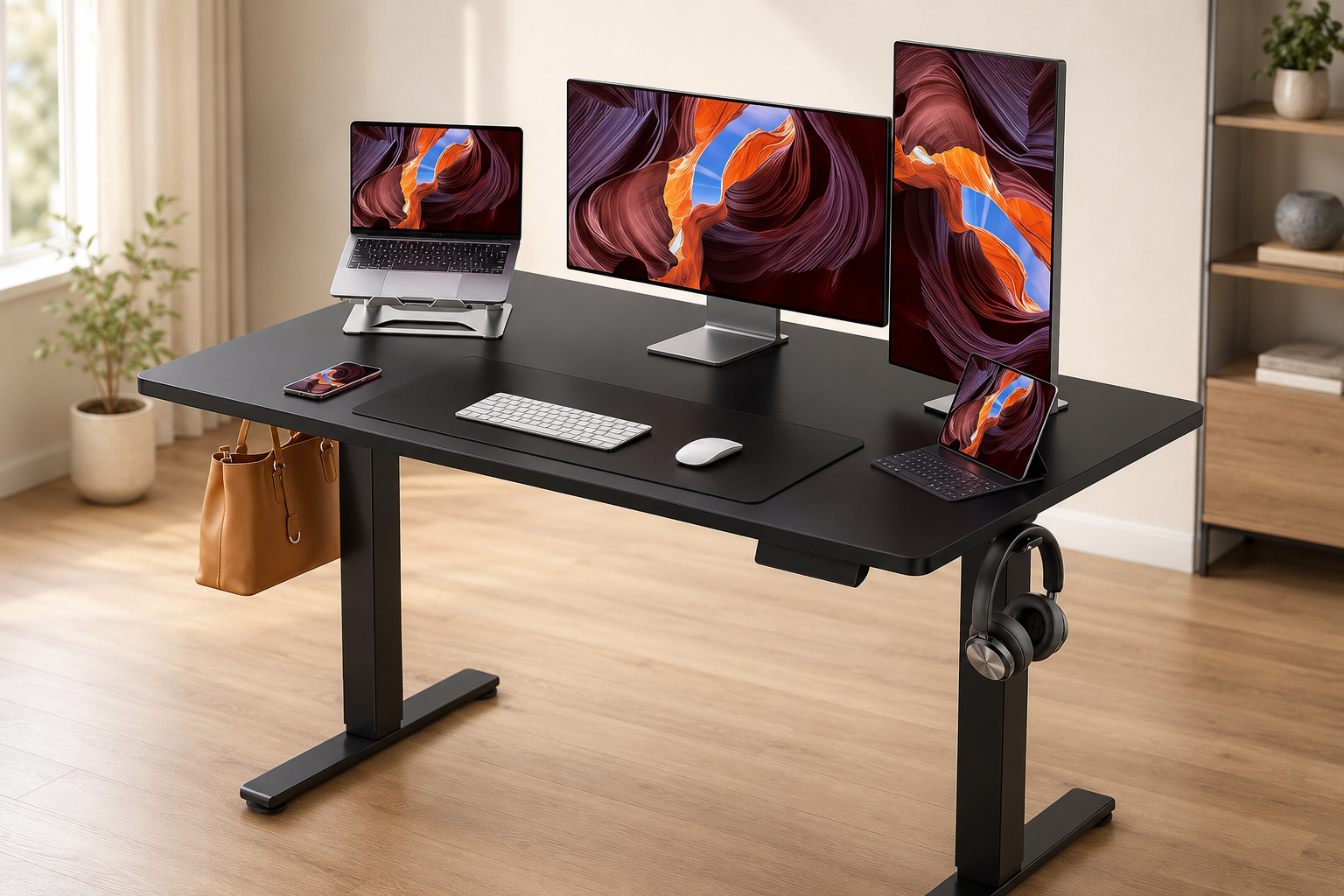
Introduction of Adjustable Home Computer Desk
Adjustable Home Computer Desk. A fixed desk keeps you in one position. However, an electric desk lets you sit for one task and stand for the next. The ErGear 48 × 24 Inch Desk supports this change with an electric lift system and four memory presets. Also, its width can fit many home offices.
Still, an adjustable home computer desk must fit your body and equipment. It must also fit the available floor space. Therefore, this review looks beyond the main feature list. It explains the desk’s practical value, limits, and best use cases.
Quick verdict of Adjustable Home Computer Desk
The ErGear desk is a sensible option for a compact home office. Its 48 × 24-inch top offers room for a common computer setup. Meanwhile, electric controls and four memory buttons make changes simple.
However, the 24-inch depth may feel tight with large monitors or many accessories. Also, this model is not a storage desk. Therefore, it suits a clean, focused setup better than a large equipment station.
ErGear adjustable home computer desk overview
The listing states a height range of 28.35 to 46.46 inches and a lift speed of 0.8 inch per second. In addition, four programmable presets save preferred positions. The stated maximum load is 176 pounds, while a steel frame supports the lift system.
The desktop measures about 48 by 24 inches. That size can hold a laptop, keyboard, mouse, and monitor. It may also hold two smaller monitors with careful placement. However, count the weight and footprint of every item before setup.
Key features of Adjustable Home Computer Desk
Electric height adjustment
The motor raises and lowers the work surface. Therefore, you do not need to turn a hand crank. This feature can make position changes quicker during a busy day. However, height fit is personal. Your elbow position, footwear, and keyboard thickness can change the correct setting. So, compare the range with your body before buying.
Four memory presets
The control panel can save four preferred heights. For example, one button can hold a seated position. Another can hold a standing position. The extra buttons can store settings for a second user or a different task. As a result, the desk can work well in a shared room. Still, read the included instructions before programming the buttons.
48 × 24-inch work surface
Its shape is easy to place against a wall. Therefore, it can suit a bedroom office, apartment, or small study area. However, a deep monitor base can reduce keyboard space. Likewise, a desktop tower may use valuable surface area.
Steel support frame
The steel frame supports the moving desk. The listing also describes reinforced lifting columns. Therefore, the structure is designed for regular height changes. Even so, an uneven floor, loose hardware, or heavy monitor arms can add movement. Consequently, careful assembly and balanced equipment placement matter.
Black finish
The black top and frame create a simple look that works in many rooms. On the other hand, dust and fingerprints may be easy to see. Use a soft cloth and follow the maker’s care instructions.
Materials and assembly
The listing describes low-VOC materials and included assembly tools. Still, “easy assembly” depends on the buyer and available space. Therefore, compare the hardware with the parts list and protect the top during assembly. A second person may make lifting easier.
What makes this desk useful?
First, your computer and accessories move with the desktop. Therefore, you can keep the same screen and keyboard arrangement while changing position. Next, the memory system saves a comfortable height and returns to it with one touch.
Also, the 48-inch width is larger than a narrow laptop table. Yet, it is easier to place than many 55-inch or 60-inch desks. Finally, the stated capacity gives room for common office gear. However, spread the equipment evenly and leave enough cable slack.
Everyday comfort and ergonomics
An adjustable desk does not create good posture by itself. Instead, it helps fit the workstation to your body. OSHA explains ergonomics as fitting the job to the person. Therefore, setup matters more than simply standing. While seated, keep your keyboard near elbow height. Also, keep the mouse close to the keyboard. Your shoulders should stay relaxed. Meanwhile, the top of the screen should be near a comfortable viewing level.
While standing, avoid locking your knees or leaning on the desktop. Start with short standing periods. A CDC-hosted review found that sit-stand desks change sitting behavior, but health effects were generally modest. Therefore, view the desk as a movement tool, not a treatment.
Pros – Adjustable Home Computer Desk
- The electric motor makes height changes simple.
- Four presets can save several working positions.
- The 48 × 24-inch size can fit smaller home offices.
- The stated 176-pound capacity supports many normal computer setups.
- The steel frame offers a solid base for daily use.
- The design supports both individual and shared use.
Cons – Adjustable Home Computer Desk
- The 24-inch depth may feel limited with large equipment.
- The desk does not provide built-in drawers or shelves.
- Assembly still requires time, floor space, and careful alignment.
- Cables can pull or tangle when the desk rises.
- The listed height range may not suit every very short or very tall user.
- Large monitor arms may increase visible movement at standing height.
- Product details can differ between similar ErGear listings.
Who should buy it?
This desk is a good match for a home worker with one monitor and a laptop. It can also suit a student or a couple sharing a workspace. Apartment users may appreciate the 48-inch width. Likewise, beginners may like the simple controls.
Who should avoid it?
This model may not suit someone with three large monitors and many accessories. A deeper or wider desk may provide better spacing. Similarly, users who need drawers should look for a storage model.
Very short or very tall buyers should check the range carefully. Also, people who dislike assembly may prefer a setup service. Anyone needing a commercial-duty desk should compare warranties and duty ratings.
Common things to check before buying
Measure the room first. Leave space for the chair, cables, and walking path. Also, ensure the moving top will not hit a shelf. Next, compare your comfortable sitting and standing keyboard heights with the stated range.
Then, list the equipment and check its total weight and footprint. Finally, inspect power access. The motor needs an outlet, and every cable needs enough length for the highest position.
Common setup mistakes to avoid
Follow the manual’s assembly order and align the frame before final tightening. Also, do not trap cables between moving parts. Leave enough slack for the highest position, but keep loops away from chair wheels.
Do not place all heavy equipment on one side. Instead, balance the load and test movement before adding valuable electronics. Finally, do not assume that standing all day is the goal. Alternate positions and take normal movement breaks. The desk works best as one part of a comfortable workstation.
Price and value of Adjustable Home Computer Desk
The desk’s value comes from electric adjustment, four memory settings, and its compact size. Therefore, compare similar 48 × 24-inch models. Also, compare the warranty, return terms, parts support, and desktop construction.
Amazon pricing and availability can change. Check the latest price on Amazon before making a decision. Also, confirm that the selected color and size match this review.
Alternatives to consider
A manual crank desk may cost less and works without a motor. However, adjustment takes more effort. A 55-inch or 60-inch electric desk offers more screen space but needs a larger room.
Meanwhile, a drawer model adds storage but may reduce knee clearance. A standing desk converter keeps your existing desk, although it can reduce usable surface space. Therefore, compare the full workstation, not only the price.
Frequently asked questions
What is the height range of this ErGear desk?
The listing states 28.35 to 46.46 inches. Confirm the selected version because similar models may differ.
How many height presets does it have?
The reviewed listing states four memory presets. These buttons can store preferred positions for different tasks or users.
Can it hold two monitors?
It may hold two smaller monitors if their bases, size, and weight fit. Measure the setup and stay within the stated limit.
Is this desk suitable for a small apartment?
The size can suit many small rooms. Still, leave space for the moving top, chair, and cables.
Does the desk have drawers?
This basic model does not list built-in drawers. Therefore, users who need storage should compare an ErGear drawer model or a separate mobile cabinet.
Is a standing desk better than sitting all day?
It gives you a way to change positions. However, research does not support treating it as a cure or a replacement for normal movement. Use comfortable settings and alternate between sitting, standing, and walking.
Final verdict
The ErGear 48 × 24 Electric Standing Desk offers the main features many home users need. It has electric height control, four saved positions, a steel frame, and a compact desktop. Therefore, it is a practical adjustable home computer desk for a focused setup.
Its main limits are space and fit. The 24-inch depth may restrict larger systems. Also, the height range will not match everybody. If the dimensions fit you and your equipment, this desk deserves consideration. See product details and check the latest price on Amazon before ordering.