Introduction of Lenovo IdeaPad Slim Laptop
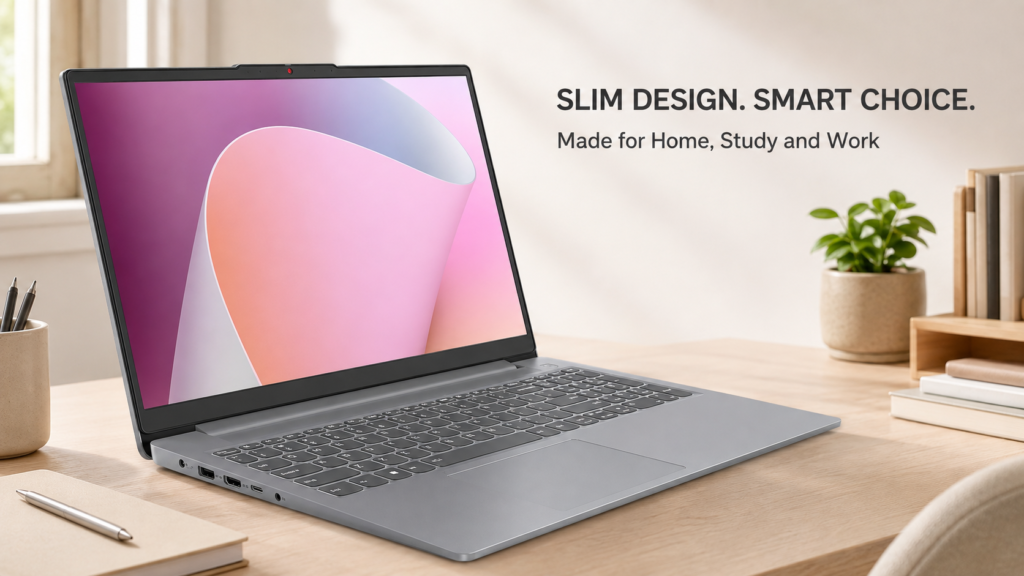
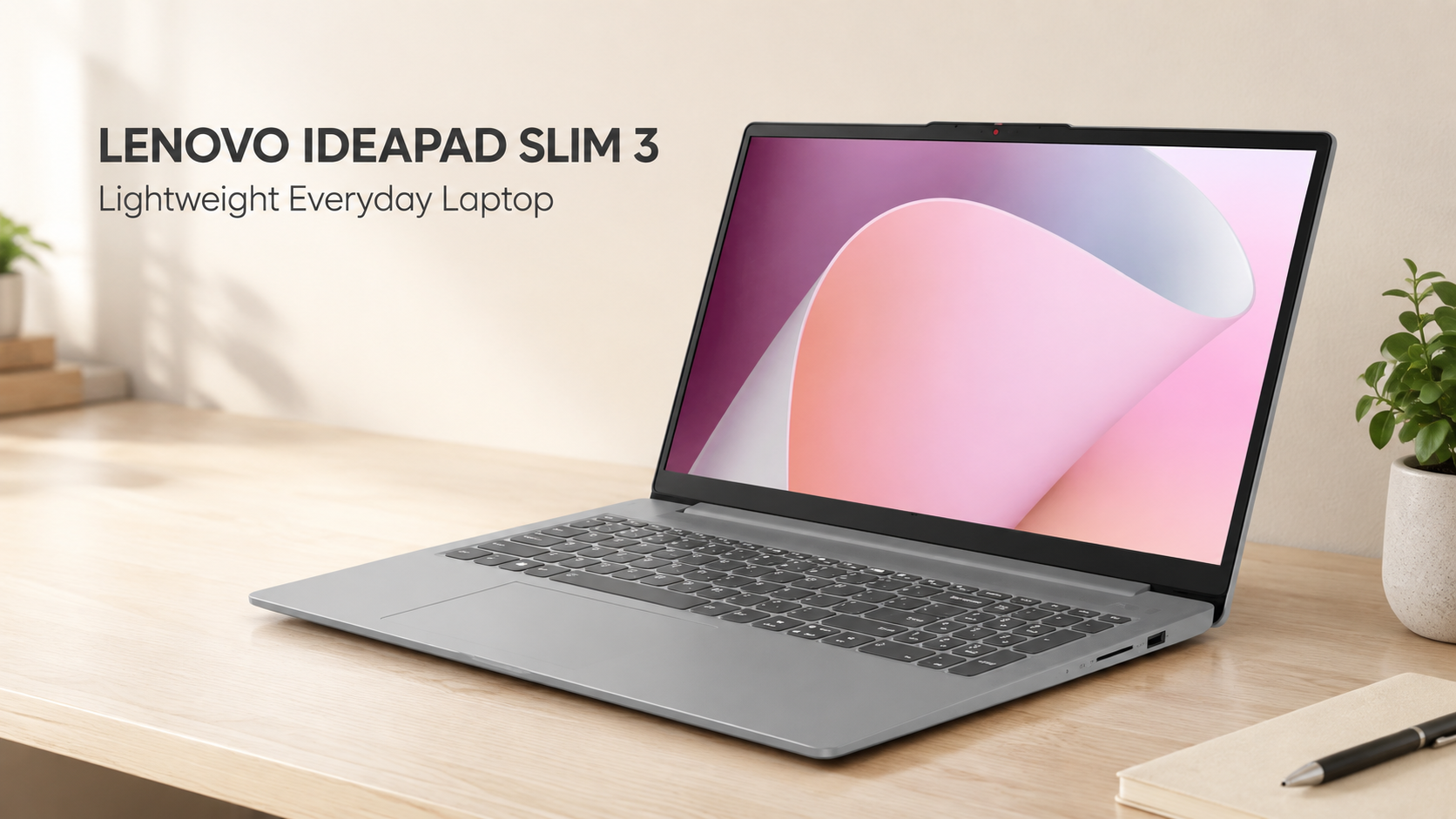
Lenovo IdeaPad Slim Laptop. A laptop is now a useful part of many homes. For example, family members may use one for online classes, office work, web browsing, and video calls. However, many home users do not need an expensive gaming laptop. Instead, they need a simple machine that can handle common daily tasks. The Lenovo IdeaPad Slim Laptop is designed for this type of user. First, it has a large 15.6-inch screen. Also, it has a slim body and a starting weight of about 3.57 pounds. Therefore, it can work as a main home laptop while remaining easy to carry.
Still, this is an entry-level computer. Its Ryzen 3 processor and integrated graphics are suitable for basic tasks. However, they are not made for demanding games or heavy creative work. Moreover, the 8GB memory cannot be upgraded. As a result, buyers should understand its limits before making a decision.
Quick verdict of Lenovo IdeaPad Slim Laptop
The Lenovo IdeaPad Slim 3 is a practical choice for web browsing, Microsoft Office, email, online learning, video calls, and light entertainment. In addition, its Full HD screen gives users more working space than a basic HD panel. Its SSD also helps Windows and common apps open faster than they would on an old hard drive. However, its 8GB of fixed memory and 256GB SSD may feel limited over time. Likewise, the Radeon 610M graphics are not intended for serious gaming. Therefore, this laptop makes the most sense for beginners, students, home users, and people with simple computing needs.
Quick recommendation: Consider it if you need an affordable everyday Windows laptop. However, choose a 16GB model if you plan to keep many programs open or want better long-term flexibility. Check the latest price and product details on Amazon.
Lenovo IdeaPad Slim Laptop overview
| Feature | Reviewed configuration |
| Model | Lenovo IdeaPad Slim 3 15AMN8, 82XQ001GUS |
| Processor | AMD Ryzen 3 7320U |
| Processor design | 4 cores and 8 threads |
| Graphics | Integrated AMD Radeon 610M |
| Memory | 8GB LPDDR5 |
| Memory upgrade | Not supported |
| Storage | 256GB M.2 SSD |
| Display | 15.6-inch Full HD, 1920 × 1080 |
| Screen finish | Anti-glare |
| Operating system | Windows 11 Home |
| Color | Arctic Grey |
| Starting weight | About 3.57 pounds |
| Main use | Home, study, office, and basic entertainment |
| Main limitation | Fixed 8GB memory |
Design and portability of Lenovo IdeaPad Slim Laptop
The Lenovo IdeaPad Slim 3 has a simple Arctic Grey finish. Therefore, it can fit into a home office, study room, or shared living area without looking too bright. Its design is plain and practical. The laptop measures about 14.15 inches wide, 9.25 inches deep, and 0.70 inches thick. Also, Lenovo lists a starting weight of about 3.57 pounds. Therefore, it is reasonably portable for a 15.6-inch laptop. For instance, you can carry it from a desk to a kitchen table. You can also place it in a suitable laptop bag for school or work. However, it is not as small as a 13-inch or 14-inch notebook. As a result, people who travel every day may prefer a smaller model.
The body uses PC-ABS plastic. Therefore, buyers should not expect the metal feel of a premium laptop. Still, plastic helps keep the machine lighter and more affordable. A protective sleeve may also help prevent scratches during travel.
Display quality of Lenovo IdeaPad Slim Laptop
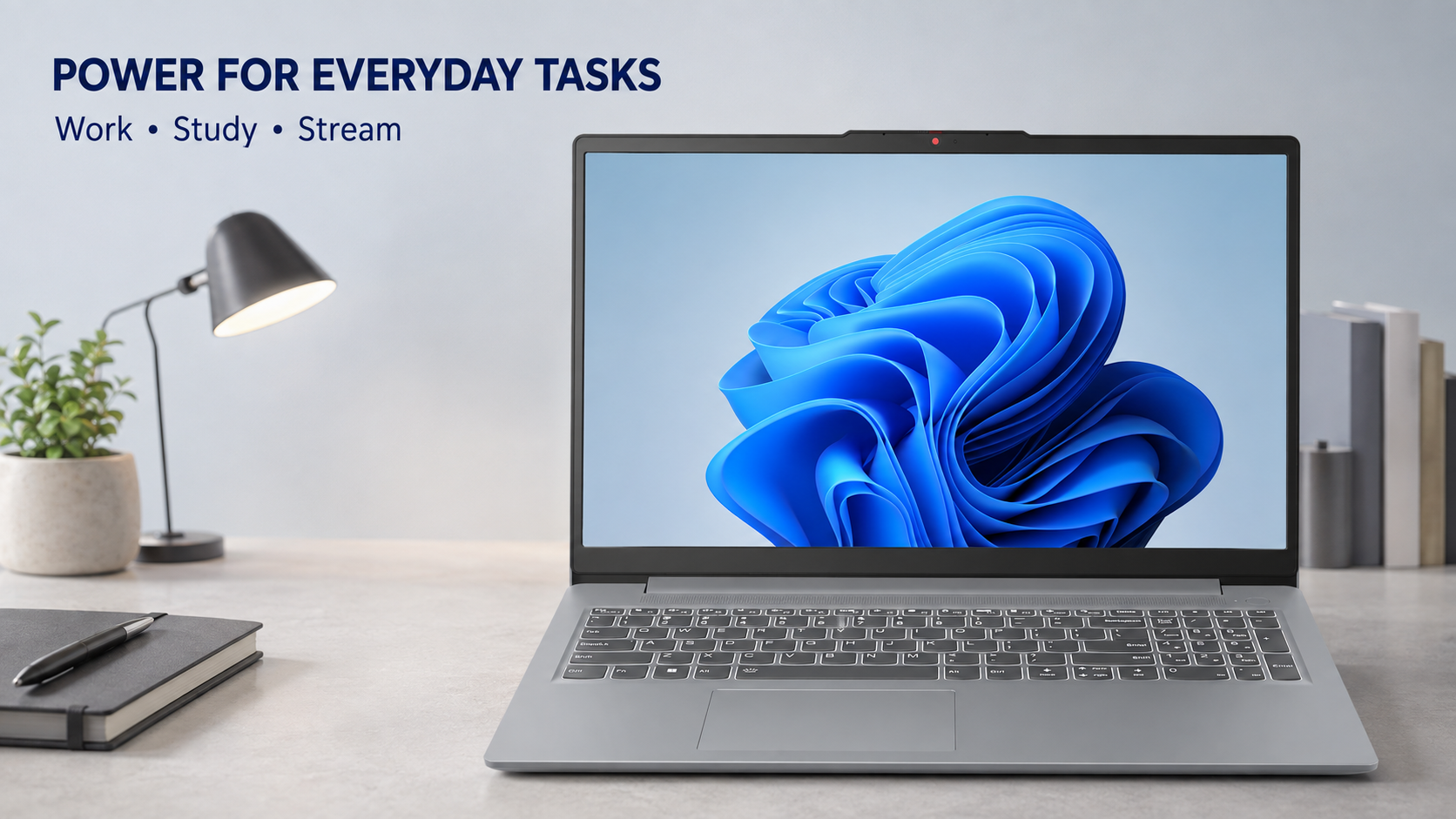
The laptop has a 15.6-inch Full HD screen. Its resolution is 1920 × 1080 pixels. Therefore, text, web pages, and videos should look sharper than they would on a 1366 × 768 display. In addition, the reviewed Amazon listing identifies the panel as an IPS display. An IPS panel usually gives better viewing angles than a basic TN panel. This can help when two people are looking at the screen together. The screen also has an anti-glare finish. Therefore, it can reduce some reflections from windows and room lights. However, anti-glare does not remove every reflection. Likewise, this is not a high-end display for professional color work. Lenovo lists this laptop family with a 300-nit IPS display and 45% NTSC color coverage, although configurations can vary. Therefore, the screen should be fine for documents, classes, and casual streaming. However, photographers and professional video editors may need a brighter and more color-accurate display.
Overall, the screen is one of the more useful features for home users. It provides enough room for documents and split-screen work. Still, verify that model 82XQ001GUS is selected because other Slim 3 versions may use different panels.
AMD Ryzen 3 7320U performance
The AMD Ryzen 3 7320U has four processor cores and eight threads. It runs at a base speed of 2.4GHz and can reach up to 4.1GHz under suitable conditions. Therefore, it can handle common household and office tasks without needing a high-powered processor. For example, the laptop should be suitable for Google Chrome, Microsoft Word, email, and online banking. Likewise, it can support Zoom or Microsoft Teams calls. It can also handle basic web-based tools and light spreadsheet work. However, performance depends on workload. Opening a few browser tabs and a document should be manageable. In contrast, opening many tabs, several large programs, and a video call at the same time may use most of the available memory.
As a result, the laptop works best when expectations remain realistic. It is a daily computer for simple work. It is not a workstation.
Memory and multitasking
This model includes 8GB of LPDDR5 memory. For basic Windows 11 use, 8GB is a workable amount. For example, it can support a browser, a document, music, and a few small apps. Still, modern web browsers can use a large amount of memory. Therefore, performance may slow when too many tabs are open. Likewise, large spreadsheets and heavy editing programs may place extra pressure on the system. More importantly, Lenovo states that the memory is soldered to the system board. There are no memory slots. Therefore, you cannot add more RAM later.
This limitation deserves careful thought. If your needs are simple, 8GB may be enough. However, if you want stronger multitasking or several years of flexible use, a 16GB laptop may be a safer purchase.
SSD storage
The Lenovo IdeaPad Slim Laptop includes a 256GB M.2 solid-state drive. An SSD has no moving parts. Therefore, it normally starts Windows and opens files faster than an older mechanical hard drive. However, the full 256GB will not be available for personal files. Windows, recovery files, and installed software will use part of the space. As a result, the remaining storage may fill quickly if you keep large videos or many photos. Still, 256GB can be enough for documents, school files, web use, and a small media collection. In addition, users can store files on an external drive or a trusted cloud service. An SD card reader is also included.
Lenovo says the product family supports one M.2 SSD with capacities up to 1TB. However, an SSD upgrade requires opening the laptop and replacing the existing drive. Therefore, check Lenovo’s instructions and warranty terms before making changes.
Graphics and gaming
The Ryzen 3 7320U includes AMD Radeon 610M integrated graphics. These graphics share system memory. Therefore, they are designed mainly for web video, Windows effects, presentations, and basic visual tasks. The laptop should be suitable for watching Full HD videos. It may also run simple or older games at modest settings. However, performance will depend on the game. Modern games with detailed graphics may run poorly. Moreover, the fixed 8GB memory creates another limit. Therefore, this model should not be bought mainly for gaming.
Likewise, it is not ideal for professional 3D design or advanced video effects. A laptop with a stronger processor, 16GB of memory, and dedicated graphics would be more suitable for those tasks.
Keyboard and touchpad
This IdeaPad Slim 3 family uses a six-row keyboard with multimedia function keys. It also includes a numeric keypad. Therefore, it can be useful for budgets, invoices, data entry, and other number-based work. The 15.6-inch body gives the keyboard more room than many small laptops. However, the exact key feel cannot be judged from specifications alone. Buyers who type for long periods should consider checking the keyboard in a store when possible. The touchpad supports common multi-touch actions. Therefore, users can scroll and move between tasks without a mouse. Still, a separate mouse may feel more comfortable for long office sessions.
Keyboard lighting can vary between configurations. Therefore, do not assume that this exact model has a backlit keyboard unless the seller confirms it.
Ports and connections
The IdeaPad Slim 3 provides several useful connections. It includes two USB-A ports, one USB-C port, one HDMI port, a headphone and microphone jack, and a card reader. Therefore, most home users can connect common accessories without carrying several adapters. The USB-C port supports data transfer. It also supports DisplayPort output and compatible USB Power Delivery. In addition, the HDMI port can connect the laptop to a television or monitor. This is useful for a small home office. For example, you can use a larger monitor at your desk. Then, you can unplug the laptop and carry it to another room. However, there is no built-in Ethernet port. Therefore, a wired network connection requires a compatible USB adapter. Wi-Fi is the main way to connect to the internet.
Lenovo lists Wi-Fi 6 and Bluetooth 5.2 for this configuration. Therefore, it can connect to modern wireless networks, headphones, mice, and other supported devices. Actual wireless speed will still depend on the router and internet plan.
Camera, audio, and privacy
A webcam is useful for online classes and remote meetings. This laptop includes a camera with a physical privacy shutter. Therefore, you can cover the lens when the camera is not in use. It also has a dual-microphone setup. In addition, Dolby Audio supports the built-in stereo speakers. These features should be enough for ordinary calls and casual videos. However, built-in laptop speakers usually have limited bass and volume. Therefore, headphones or external speakers may improve movies and music. Likewise, a separate webcam or microphone may offer better quality for regular online teaching or content creation.
Battery and charging
The IdeaPad Slim 3 15AMN8 family uses a 47Wh battery. Lenovo lists up to 11 hours in one controlled benchmark and up to 14 hours for local video playback. However, those figures are measured under specific conditions. Real battery time can be lower. For example, high screen brightness, video meetings, many browser tabs, and background programs use more power. Battery capacity also falls gradually with age. Therefore, buyers should treat Lenovo’s numbers as maximum estimates. They should not expect the same result during every task. Still, the efficient processor may make the laptop useful for several hours away from an outlet.
The computer supports Rapid Charge Boost. Lenovo states that a 15-minute charge can provide up to two hours of runtime under its test conditions. This may help when you need a short charging session. However, actual results can vary.
Windows 11 and ease of use
This configuration comes with Windows 11 Home. Therefore, users can install common Windows programs and use Microsoft’s built-in tools. It is also familiar to many office workers and students. However, a new laptop may include trial software or optional apps. Therefore, review the installed programs during setup. Remove only the apps you understand and do not need.
Also, run Windows Update before important use. Then, install current Lenovo drivers through Lenovo’s official support tools. Regular updates can improve security and fix known problems.
What makes it useful at home?
First, its 15.6-inch screen gives users enough room for reading and work. Next, its full-size keyboard includes a numeric keypad. This can help with homework, bills, spreadsheets, and online forms. In addition, the slim body makes the laptop easy to move between rooms. Its screen is large enough for desk use, yet its weight remains manageable. Therefore, it offers a fair balance between screen size and portability.
The ports are also practical. For instance, you can connect a monitor, mouse, flash drive, headphones, or SD card. As a result, the laptop can become the centre of a simple home workspace.
Pros of Lenovo IdeaPad Slim Laptop
- Large 15.6-inch Full HD screen
- Anti-glare display surface
- Slim and fairly lightweight design
- Fast SSD instead of a mechanical hard drive
- Useful USB-A, USB-C, HDMI, and card-reader connections
- Full-size keyboard with numeric keypad
- Camera privacy shutter
- Suitable for basic home, school, and office tasks
- Windows 11 Home included
Cons of Lenovo IdeaPad Slim Laptop
- The 8GB memory cannot be upgraded
- The 256GB SSD may fill quickly
- Integrated graphics are weak for demanding games
- Not suitable for heavy video editing or 3D work
- No built-in Ethernet connection
- Plastic construction may feel less premium
- Display color range is limited for professional creative work
Who should buy this laptop?
This laptop may suit students who mainly use web tools, documents, and online classes. Likewise, it may suit adults who need a computer for email, shopping, bills, and video calls. It can also work for basic remote office tasks. For example, it should handle documents, presentations, simple spreadsheets, and browser-based services. In addition, its size makes it useful as a shared family laptop.
Finally, it may suit buyers replacing an older computer with a slow hard drive. The SSD and modern processor can provide a more responsive daily experience.
Who should avoid it?
Serious gamers should choose a laptop with stronger graphics. Likewise, professional video editors, engineers, and 3D designers need more power. Heavy multitaskers should also be careful. Since the memory cannot be upgraded, the laptop is permanently limited to 8GB. Therefore, a 16GB configuration is better for demanding work.
Finally, users with large photo or video libraries may find 256GB too small. They should consider a 512GB or 1TB model instead.
Common things to check before buying
First, confirm the model number. Lenovo sells many IdeaPad Slim 3 configurations. Their processors, displays, memory, and storage can differ. Next, verify whether the screen is touch or non-touch. Also, confirm the keyboard lighting and fingerprint reader. Some features may differ across models or sellers.
Then, check the seller, return terms, and warranty coverage. Also, make sure the charger is included. Finally, review the current price because Amazon pricing and availability may change.
Pricing and value
The value of this laptop depends on its current price. Therefore, compare it with 16GB laptops and models with 512GB storage before ordering. A small price difference may make a better configuration worth buying. However, this model can still offer fair value when priced as an entry-level computer. It becomes less attractive if a 16GB alternative costs only a little more. Check the latest price and product details on Amazon.
Alternatives to consider
The Acer Aspire 3 is one possible alternative. Some versions use the same Ryzen 3 7320U processor. However, storage, ports, and screen types can differ. The ASUS Vivobook Go 15 is another option for basic home use. Likewise, an HP 15 with a current Ryzen 3 or Intel Core i3 processor may fit a similar need.
For stronger multitasking, consider a laptop with 16GB of memory. Also, look for at least 512GB of SSD storage if you keep many local files. Compare the complete configuration instead of comparing only the processor name.
Frequently asked questions
Is the Lenovo IdeaPad Slim 3 good for students?
Yes, it can handle online classes, documents, research, email, and video calls. However, students using engineering, editing, or 3D software may need a stronger laptop.
Can its 8GB memory be upgraded?
No. Lenovo states that the memory is soldered to the system board. Therefore, it cannot be expanded later.
Is this laptop good for gaming?
It can handle some simple and older games. However, its Radeon 610M integrated graphics are not designed for demanding modern games.
Does it have enough storage?
The 256GB SSD is enough for basic files and apps. However, users with many photos, videos, or games may need external storage or a larger SSD.
Can it connect to an external monitor?
Yes. It has HDMI and a USB-C port with DisplayPort support. Therefore, it can connect to compatible external displays.
Final recommendation
The Lenovo IdeaPad Slim Laptop is a sensible everyday computer for simple home, school, and office tasks. It offers a Full HD screen, a useful range of ports, a fast SSD, and a light design. Therefore, it can meet the needs of many beginners and casual users. However, the fixed 8GB memory is its biggest weakness. The 256GB drive is also modest. As a result, this laptop is best for light and controlled workloads.
Buy it if the current price is competitive and your needs are basic. However, choose a 16GB model if you expect heavier multitasking or want more room for future software.